Showing posts with label landscape. Show all posts

Saturday, July 9, 2011

Lohagad - Nature at its best - Rejuvenate yourself

It all started with me and my friend Mahendra, talking about how the weather in Pune is perfect for a trek.  We have been talking about doing a trek since one year now, but because of some or the other reason, never managed to actually do it.  But this time, I really really wanted to do it!  After some initially talks, we decided to do a trek to Lohagad

I asked around to see if others were interested.  Total 12 people agreed for the trek.  We decided to start at 0630 hrs on Saturday and come back by afternoon.

Staring from 2000 hrs on Friday evening, I started getting SMS'es from people saying they cannot make it.  By morning, I was thinking it will be just me and my wife who will be going for the trek :).  But in the end, we were 5 adults and 4 kids (all of them 8 years old) made it!

As planned we started off at about 0630 hrs.  I had been to Lohagad in the past, at that time, there were no shops at the top, i.e. no food and no water at the top.  Hence, we wanted to have heavy breakfast before starting.  We tried a few good restaurants but none of them were open that early.  Finally, we settled for a dhaba type place to have breakfast.  Although the ambiance of the place was not all that great, the food was good!  We had Misal, Poha and Tea.  After filling our tanks, it was time to hit the road again. 

We reach the base village Malawali at about 0830 hrs, it was a good surprice to see a very well organized pay and park facility at Malawli.  We parked our vehciles there and started the climb.


The Way Up:

Right at the beginning of our ascent we saw two waterfalls.

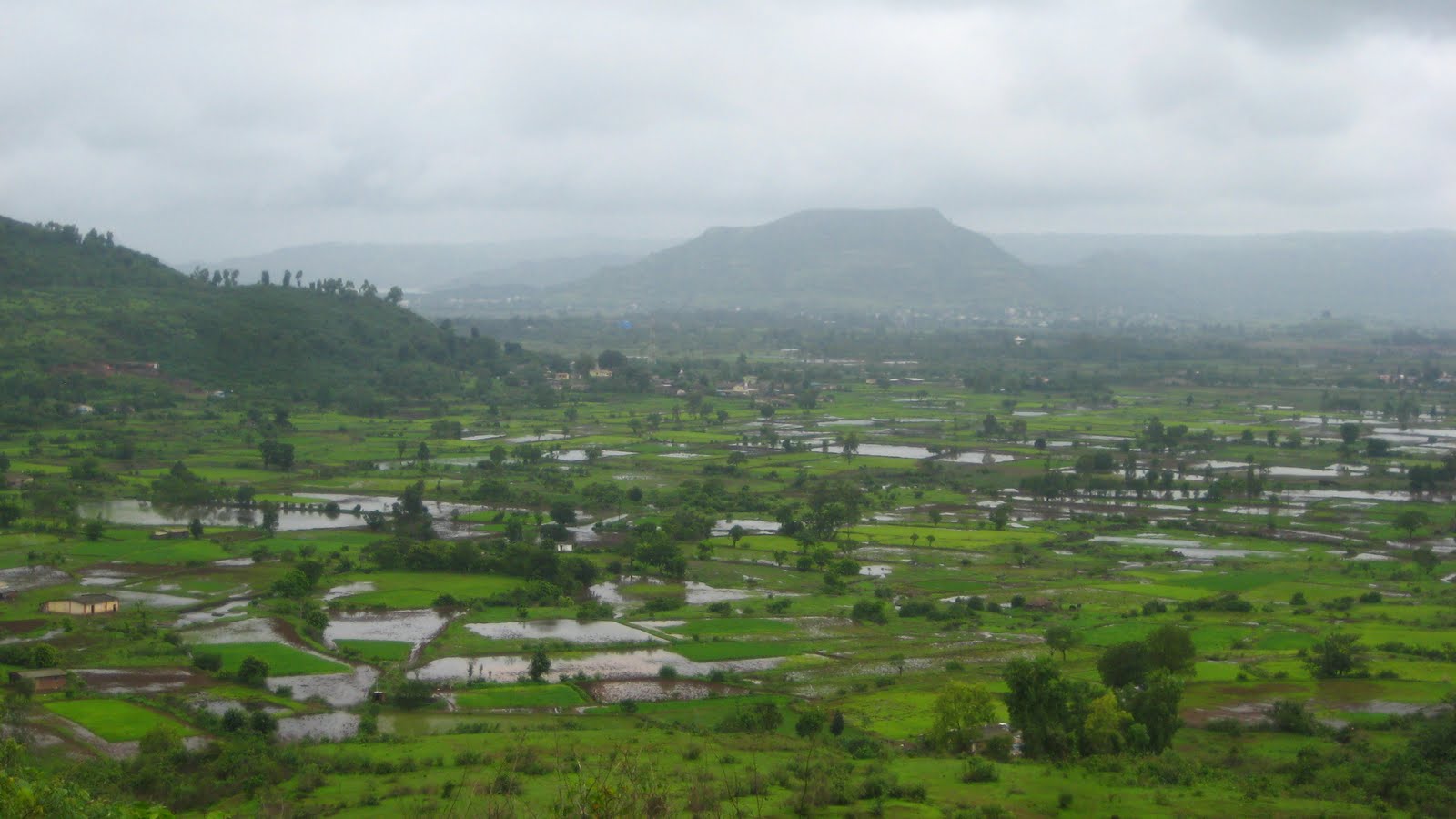
As we climbed up, breathtaking views would unfold in front of our eyes.  The natural beauty on the way was simply amazing.

A few images to illustrate what I mean


At one point right over our head we saw a big rock which looked like a gigantic ship.  It would immediately remind you of the famous scene from "Titanic" where Leonardo and Kate are standing at the tip of the titanic to feeling the breeze.
The snaps does not do justice to the view that we saw!

For the first time in my life I saw blue beetles
After walking some more, we saw another natural miracle.  We saw a big rock hanging by the side of the cliff.  The rock and cliff would be attached only at the ends.  The space between the center of the rock and the cliff formed a shape which looked similar to Shiva's third eye!  Its difficult to explain, a picture would clarify things.
Finally, after about 1.5 hours of walking and enjoying the natural marvels, we reached the base of the Fort.  There we were greeted by our ancestors
There are lots of monkeys in and around the Lohagad fort.  They were waiting to get one opportunity to snatch anything that looked like food. 

There are proper steps created to go from the base of the fort to the fort itself. 

During the monsoons, small stream of water keeps flowing down the steps.  On our way into the fort, we saw a small lake formed by the back waters of the Pawna dam.

On the way up, we saw ruins of few small cannons.  We tried to lift them just to see how heavy they were, but they wont move even a inch!
A few more steps and we saw a gigantic Maratha gate!  It had massive chains and sharp spikes all over it.  Needless to say that one person cannot open or close the gate.  The spikes made sure that, it would be difficult even for a fully grown elephant, to break open it.
Last few steps, took us into the fort.  No one wanted to walk any further without having a bite.  We decided to stop there and have something to eat.  We had carried lots to eat, Sandwiches, Chips, Sabzi Roti etc.  When we were half way through our lunch, one monkey located us and came extremely close to us, looking for an opportunity to snatch something.  We reacted quickly, we put everything back in the bags and started walking.  5 adults and 4 kids against 1 monkey, believe me, monkey was not at all afraid of any of us.  In fact he was actually trying to scare us.  We had to finally give him a peace of sandwich.

We decided to move ahead since we could not continue our lunch at the same place.  After walking for 5 min we saw a Dargah and a small pond, we decided to finish our lunch there.
After lunch, it was time to sit and relax and do nothing absolutely nothing!  Cool breeze was blowing continuously. 

I was at "peace" with myself! 

I was not thinking about anything, nothing absolutely nothing at all!  Not thinking about the city roads, traffic jams, home, projects to be delivered, meeting the deadlines, nothing! 

My 10 gallon head was completely empty.  Simply, sitting and enjoying the natural beauty.  I have to admit, I had not felt like this for quite some time now.  I am not a person who would keep thinking and worry about stuff, but still the feeling that I got at that point was beyond anything that I had experienced before.

In the movie The Pursuit of Happyness, right before he gets the job as a Broker, Chris Gardner says,

The next day, after work, we just went to the beach. Far away from anything, everything, just Christopher and me. Far away from buses, and noise, and my constant disappointment in my ten gallon head, in myself
At that moment, I was able to understand what he was talking about.  What is that feeling and I can tell you one thing, it surely feels great!  That moment for me was the best moment in the entire trek.  It was totally worth it!

After relaxing for about an hour or so, we decided to explore the, West side of Lohagad fort to see The Vinchukata(Scorpion Tail).

On the way to Vinchukata one has to climb down an almost straight wall made of rocks.
It was pretty steep, but in the end I did make it.  From the tip of the fort you could see the entire landscape.  There was no obstruction.  On one side you could see magnificent Sahyadri range and on the other side you could see the Pune-Mumbai express way.  Clouds were passing right through us.  Its was simply beautiful!

Later, at about 1400 hrs, we decided to start our descent.  While coming down one of our friend, twisted her ankle.  Luckily, it was not that bad.  After some rest she was able to walk normally.  We reached the base village at about 1545 hrs.

It was trek a wonderful trek with breathtaking views on the way and at the top.  But the most important USP for me were, those moments at the top when I was at peace with myself!


I would strongly recommend everyone to do treks on a regular basis.  Oh! almost forgot, all 4 kids did manage to do the entire trek by themselves.  No one had to carry them, in fact the kids carried their bags all by themselves!

If 8 year old kids can do the trek without any problems, so can you!  Go for it, I can assure you, you will return completely rejuvenated!

PS: To view all pictures visit this link

Monday, March 28, 2011

How to handle Screen Orientation changes in Android - Part - 2

Adapting the GUI when screen orientation changes is extremely important for a good user experience experience.  We saw in my previous post, how Android framework does an excellent job at adapting the GUI when screen orientation changes.

Android *destroys* the current activity and *re-creates* the same activity all over again.  

We also saw that in certain situations this architectural choice could lead to bad user experience.

For example

In the above example think about the user experience when, he/she changes the screen orientation while viewing SomeActivity
  • User has waited 5 seconds for the activity to load completely
  • He/She changes the screen orientation
  • Current activity is destroyed
  • New activity is re-created
  • User has to wait for 5 more seconds for the activity to be loaded completely with the new screen orientation.
While the default behavior of destroying and recreating the activity is powerful, its sometimes confusing for new Android developers, who wonder why their activity is destroyed and recreated.

Moreover, if we do not handle this correctly, user experience goes for a toss.  He has to wait 5 extra seconds for no apparent reason.

Because of this, some developers decide to handle the configuration changes (like screen orientation changes) themselves.  This is done by adding the "configChanges" attribute to the Activity declaration in AndroidManifest.xml

The "configChanges" attribute tells Android Platform that, some of the config changes will be handled by the activity by themselves. Platform does not need to do any special handling for these.

The above code tells Android platform that Screen orientation changes will be handled by the activity on its own. In this case Android platform will not destroy the current activity and re-create it.

In general, this is a short-term solution that will only complicate developers lives later.

The Android Platforms automatic resource handling is a very efficient and easy way to adapt an application's user interface to various devices and devices configurations. Hence, its *not advisable* to use the above config value for handling screen orientation!

So what is the alternate?

How do they do it?

Android platform provides two elegant ways to handle this situation.  Lets look at them

Method #1:

The Activity class has a special method called onRetainNonConfigurationInstance()

This method can be used to pass any arbitrary object to your *future self*.  

What does that sentence mean?  

As the name suggests, we can retain an instance of a non configuration object using this method.  The return type of onRetainNonConfigurationInstance method is Object.  The value that you return from this method gets passed to the new activity instance that will be created because of the screen orientation change.

Android Platform is smart enough to call this method only when needed.  For example, in our case we would return an instance of SomeExpensiveObject class that was created earlier.  This way the new instance of SomeActivity will have access to an instance of SomeExpensiveObject automatically and it does not need to create the instance again.

Code is better than 1000 words, lets look at how this is done.

Question arises, how do we get hold of SomeExpensiveObject instance in onCreate method of the new instance of SomeActivity?

To get access to the instance of non configuration object that we saved earlier, we have to invoke the  getLastNonConfigurationInstance() method.  In our example, to get the instance of SomeExpensiveObject class which we retained earlier, we have to invoke the getLastNonConfigurationInstance method. Lets look at how the updated code would look like.

Have a look at the updated code. We first try to get the instance of SomeExpensiveObject using the getLastNonConfigurationInstance() method. If that instance is null then only we create a new instance of SomeExpensiveObject class.


Think of the user experience when, he/she changes the screen orientation while viewing the SomeActivity with updated code.
  • User has waited 5 seconds for the activity to load
  • He/She changes the screen orientation
  • Android platform calls onRetainNonConfigurationInstance()
  • Current activity is destroyed
  • New activity is recreated
  • We try to get the instance of SomeExpensiveObject using the getLastNonConfigurationInstance()
  • Since we will find the instance of SomeExpensiveObject we do not create another instance and hence user does not need to wait for 5 more seconds!
  • End result, user is happy.  Everyone loves to have happy users!


Disclaimer: 

Be very careful with the object you pass through onRetainNonConfigurationChange(), though. 

If the object you pass is for some reason tied to the Activity or Context, you will leak all the views and resources of the activity. This means you should never pass a View, a Drawable, an Adapter, etc.  Finally, remember that onRetainNonConfigurationChange() should be used only to retain data that is expensive to load. Otherwise, keep it simple and let Android do everything.

Method #2:

Android provides another elegant way of achieving this.  To achieve this, we have to override a method called onSaveInstanceState().  Android platform allows the users to save any instance state.  Instance state can be saved in the Bundle.  Bundle is passed as argument to the onSaveInstanceState method.

Android calls onSaveInstanceState before pausing/destroying the activity.

This method is called before an activity may be killed so that when it comes back some time in the future it can restore its state.  This gives us an opportunity to save any instance state we want in the Bundle.

In our case we are putting the SomeExpensiveObject instance in the Bundle.  For this to work we have to mark SomeExpensiveObject as Serializable.  We can also put primitives in the Bundle.

When Android recreates the activity we can get back the saved instance state as follows

As we can see, we can load the saved instance state from the Bundle passed as argument to the onCreate method. We can also load the saved instance state in "onRestoreInstanceState" method. But I will leave that for the readers to figure out.

We are now creating the instance of SomeExpensiveObject only if we are not able to get the instance from the saved state.

Think of the user experience when, he/she changes the screen orientation while viewing the SomeActivity with updated code.
  • User has waited 5 seconds for the activity to load
  • He/She changes the screen orientation
  • Android platform calls onSaveInstanceState()
  • Current activity is destroyed
  • New activity is recreated
  • We try to get the instance of SomeExpensiveObject using the Bundle argument passed to the onCreate method
  • Since we will find the instance of SomeExpensiveObject, we do not create another instance and hence user does not need to wait for 5 more seconds!
  • End result.  Users are happy!
Both these methods are the recommended ways of saving the instance state and getting it back.  Which one to use, is a choice left to the developers to decide.

Android is really a very powerful mobile development platform, but as Spider-Man's uncle Ben once said

With great power comes great responsibilities!

Use the Android platform in the correct way and you will enjoy your time with it!

Saturday, March 26, 2011

How to handle Screen Orientation changes in Android - Part - 1

In one of my Android projects, we had a requirement that, when user changes the orientation of his phone from portrait to landscape or visa-a-versa, the GUI should adapt itself and render appropriately.

Android, is an awesome mobile development platform.  I have worked on iOS, Brew, Symbian and Android platforms but I can tell you one thing, the kind of productivity you get while developing apps for Android platform is higher than any other mobile platform.

Android does a lot of things automatically for you.  One of them is screen orientation change.  Android platform detects that the screen orientation has changed and adapts the GUI accordingly.  How does Android platform achieve this?

What happens when Android detects that the screen orientation has changed?

Android *destroys* the current activity and *recreates* the same activity all over again.  

Yes, you read it right!  And I will say it again, 

It *destroys* the current activity and *recreates* the same activity all over again.

Why does it do that?

Normally, in the portrait mode the screen has more hight than the width.  In landscape mode the scene is reversed.  The screen has more width than the height.  This means that if we go by the default behavior, user might see lot of blank spaces on the right side in the landscape mode.

Screen in Portrait mode
Screen in landscape mode

Have a look at the images of an activity in Portrait and Landscape mode.  In Portrait mode the screen looks decent, but in landscape mode the screen looks ugly. There is too much gap between the logo image on the left corner and "some screen" button on the right hand corner.  Moreover, the text box with the hint "Enter Zip or City, State" looks is way to long in the landscape mode.

Android has provided us a way to get around this problem.  We as developers can provide different layouts for landscape and portrait modes.

The layouts that should be used for landscape mode should be placed in a directory called layout-land


Landscape layout XML

Lets say we updated the layout for the landscape mode so that the icon, button, text box and the Search button appear all in one line.  The updated screen would look like

Updated screen in landscape layout
As you can see in the updated screenshot, the layout in the landscape mode looks much better now.  

Using different layouts for landscape and portrait mode enables us to effectively use the space.

Because of this reason, when screen orientation changes, Android destroys the current activity and recreates the activity all over again by choosing the correct layouts and configuration.  

This behavior lets you declare resources like layout's and drawable's based on the orientation, screen size, locale, etc.

This architectural choice, helps Android adapt the GUI easily and effectively when screen orientation changes. 

Think over this approach for a moment, do you think there are any problems with this approach?

What are the problems with this approach?
What if your activity performs some expensive operation when activity is created?
For example

As show in the above code when SomeActivity is created we creating an instance of SomeExpensiveObject class.  To indicate that creating the instance of this class is expensive, I have added a sleep of 5 seconds in the constructor of SomeExpensiveObject class.

Think about the user experience, when user changes screen orientation while viewing SomeActivity.
  • User has waited 5 seconds for the activity to load completely
  • He/She changes the screen orientation
  • Current activity is destroyed
  • New activity is re-created
  • User has to wait for 5 more seconds for the activity to be loaded completely with the new screen orientation.
How do we solve this problem?

In the next post I will show how effectively we can handle this problem.  Android provides not just one but two elegant solutions to the above problem.  All that and more in the next post.  Stay tuned! 
Have some Fun!